J6+paper
Cutting Plotter
🆕 Jaguar 6 Vinyl Cutter
The all-new Jaguar VI series of vinyl cutting plotters includes the Jaguar VI models (J6-61, J6-101, J6-137, J6-163 and J6-183), and Jaguar VI Wi-Fi models (J6-61WF, J6-101WF, J6-137WF, J6-163WF and J6-183WF) .
J6+paper
1 1
Cutting Plotter
🆕 Jaguar 6 Vinyl Cutter
A reliable and high-performance cutting solution designed for professional applications, delivering precision, speed, and versatility across a wide range of materials.

Jaguar 6 Vinyl Cutter Feature

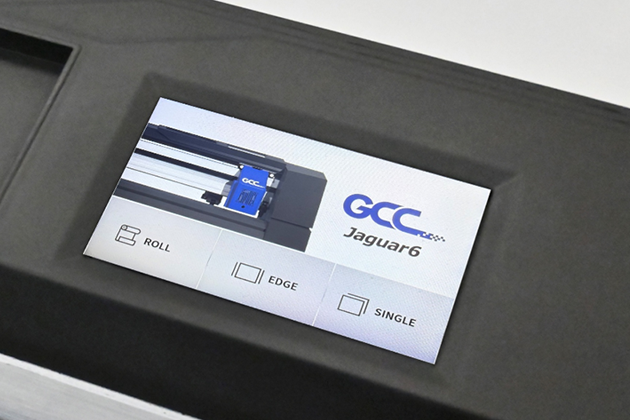
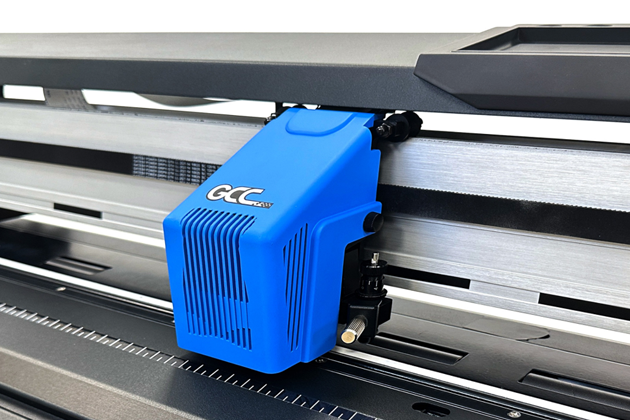
4” Touch Panel

The built-in 4-inch touch panel provides a clear and intuitive interface, allowing users to easily operate the machine and adjust settings directly from the screen for a smoother workflow.

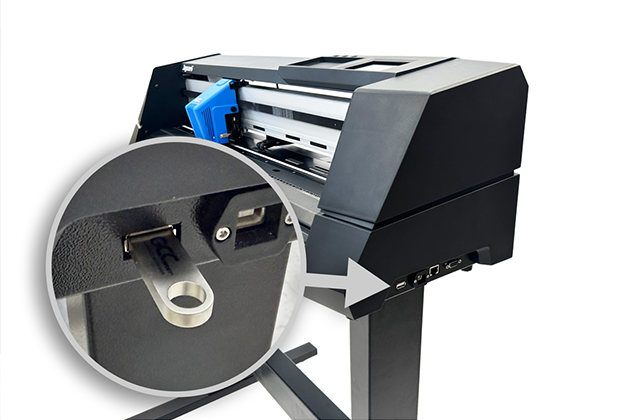
USB Storage

USB Storage allows users to save job files to a USB flash drive, enabling operation without a computer.

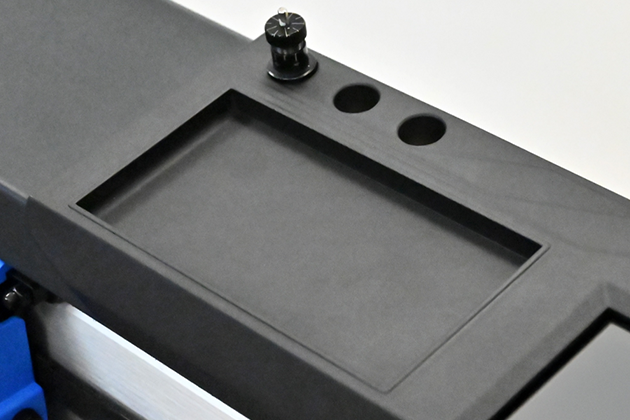
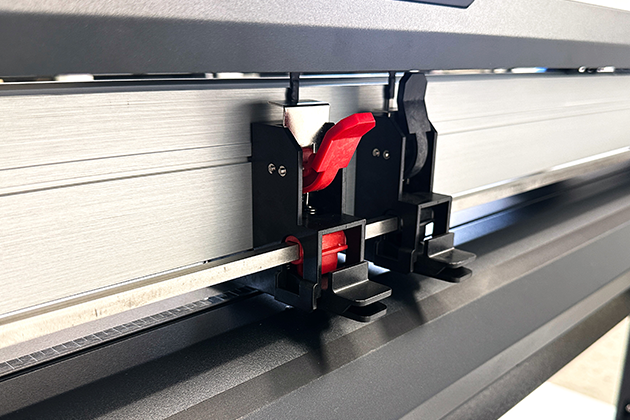
Blade Storage Slots with Tool Tray

Three blade storage slots keep spare or additional blades organized, while the recessed tray below provides convenient storage for small tools and accessories.

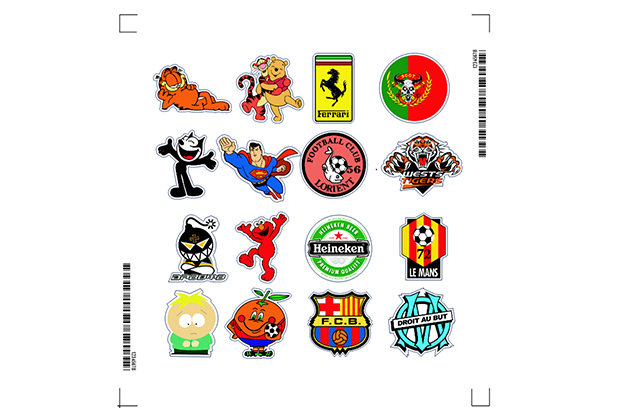
Barcode Recognition

All print-and-cut files are collected in a hot folder and linked to the SmartCUT queue. The AAS II module scans the barcode on the printout and automatically applies the assigned cutting parameters.

Auto Cut Off

Allows the cutter to automatically cut off the media after each job, supporting unattended batch production. Media can also be cut manually using the “Cut Off” button.
*Auto Cut Off is not available on the 61 model.

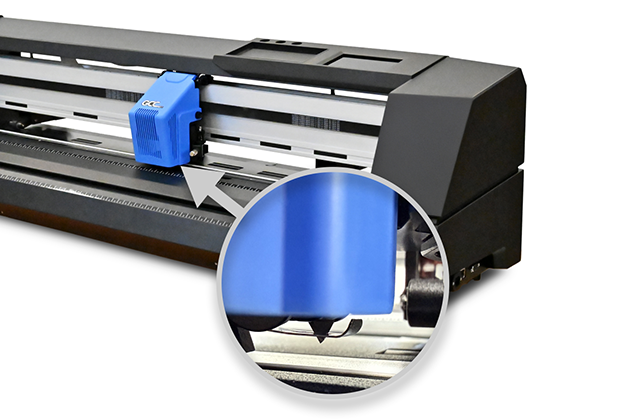
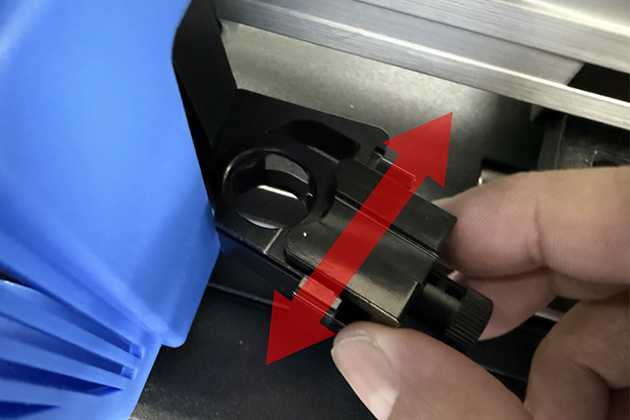
Dual-slot Blade Holder

Enables quick switching between blade holders for die cutting and perforated cutting applications.

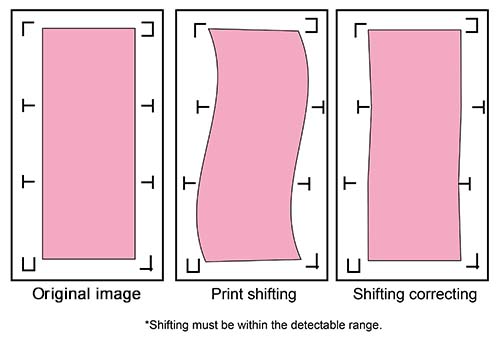
AAS II – Segmental Positioning

Jaguar V series features Segmental Positioning function which can correct the crooked print. Printed image may be crooked because the printing shifts, and Segmental Positioning function can scan the registration marks one by one automatically to calibrate shift.

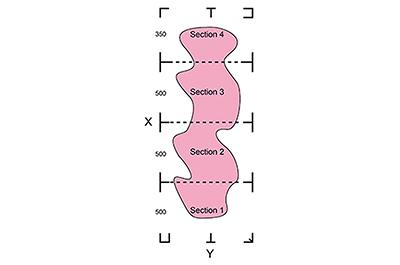
AAS II – Section Cutting

Section cutting divides the long plot data into sectional output jobs to gain higher cutting quality and increase precision.
The cutting job will be performed according to the defined sectional plot data.
Two Section Cutting approaches available
  • By registration marks
  • Define the interval between each section, from 50mm to 2000mm.

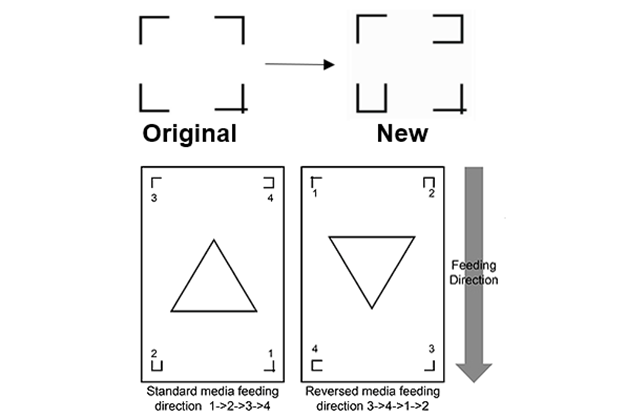
AAS II – Auto Rotation

  • New registration marks help to define material feeding direction.
  • Detect the unique registration marks to recognize material feeding direction and rotate cutting content.

Tangential Mode

Smoothly cuts small letters and intricate graphics. Tangential emulation ensures clean corners on thick materials such as reflective and sandblast films.

Multi-Pressure Pinch Roller

There are 3 different pressure settings which the Multi-pressure pinch rollers can be set to in order to cater to the different pressure settings required for working with different media types.

GreatCut-S Pro

Tailored for top-notch performance and full compatibility with all GCC cutters, notably the robust Enhanced AAS II of Jaguar VI, GreatCut-S Pro optimizes operations. The plugin for Adobe Illustrator and CorelDRAW allows users to leverage their familiar design software and streamline production by seamlessly integrating print and cut processes. Moreover, its included drawing tools for shape creation and editing elevate design capabilities and workflow efficiency.
Slide Rail Media Basket

Slide Rail Media Basket

Keeps media off the floor and free from dust, ensuring a clean and efficient workflow.
18" x 24" Low Adhesive Film (3 pcs/pk)

18" x 24" Low Adhesive Film (3 pcs/pk)

Put materials on the Low Adhesive Film to cut, and it’s recommended to work with Add-on Flat Table.
Safe Blade

Safe Blade

Users can cut off the finished job by the safe blade.
Cutting Blades

Cutting Blades

Users can replace the cutting blade by different materials to meet your need.
Cutting Pad

Cutting Pad

It prevents the blades from becoming blunt quickly.
Metallic Blade Holder Φ2.5 mm

Metallic Blade Holder Φ2.5 mm

Adjusting the blade length to fit your needs.
Stand

Stand

To support cutting plotter machine and roll media.

Jaguar 6 Vinyl Cutter Spec

Jaguar 6 SeriesJ6-61 / 61WFJ6-101 / 101WFJ6-137 / 137WFJ6-163 / 163WFJ6-183 / 183WF
Operational MethodRoller-Type
Max. Cutting WidthNormal618mm (24 in.)1018mm (40 in.)1380mm (54 in.)1633mm (64 in.)1838mm (72 in.)
Extend638mm (25 in.)1038mm (40 in.)1400mm (55 in.)1653mm (65 in.)1858mm (73 in.)
Max. Media Loading Width832mm (32 in.)1232mm (48 in.)1594mm (62 in.)1847mm (72 in.)2052mm (80 in.)
Min. Media Loading Width50 mm (1.97 in.)
Number of Pinch Rollers346
Acceptable Material Thickness0.8 mm (0.03 in.)
DriverDC Servo Control
Max. Cutting Force 700g
Max. Cutting Speed1530 mm/sec (60 ips) (at 45° direction)
Acceleration4.2 G (gravity)
Offset0~1.0 mm (with an increase of 0.025mm)
Memory Size32 MB /16 MB (when using AAS)
InterfacesUSB 2.0 (Full Speed) and Serial (RS-232), and Ethernet, USB Flash
Wi-Fi (2.4G)J6-61WF, J6-101WF, J6-137WF, J6-163WF, J6-183WF models only
Type of CommandHP-GL, HP-GL/2
Mechanical Resolution0.006 mm (0.00024 in.)
Software Resolution0.025 mm (0.0001 in.)
Distance Accuracy±0.254 mm (±0.01 in.) or ±0.1% of move, whichever is greater
Repeatability±0.1 mm (±0.004 in.)
Automatic-Aligning System (AASII)Available on Jaguar 6 models, including Segmental Positioning and Auto Rotation functions
Auto RotationAvailable
Dual-Slot Balde HolderYes
Section CuttingYes
Curve & Arc SmoothingYes
Configurable OriginYes
Test Cut CapabilityYes
Tangential ModeYes
Over CutYes
Auto Cut OffNoYes
RepeatYes
CopyYes
Control Panel4” Capacitive Touch Panel
Operating SystemGCC Printer Driver: Windows 10 and above
GreatCut-S Pro: Windows 10 and above / macOS 10.6 and above
Diameter of Blade2.5 mm (0.098 in.)
StandOptionalStandard
Media BasketOptional
Power Supply100~240 VAC 4A 50~60 Hz (auto switching)
Power ConsumptionMax. 280 W
Dimension(H x W x D) mm439 x 1031 x 4901152 x 1431 x 6511152 x 1793 x 6511152 x 2047 x 7561152 x 2252 x 756
(H x W x D) in17.2 x 40.5 x 19.243.3 x 56.3 x 25.645.3 x 70.5 x 25.645.3 x 80.5 x 29.745.3 x 88.6 x 29.7
Net Weight25KG62KG72KG82KG92KG
Operation EnvironmentTemperature15° C~35° C / 60°F~95° F
Humidity25% ~ 75%
  • The specification and data sheet may vary with different materials used. In order to obtain the best output quality, please maintain the machine regularly and properly.
  • GCC reserves the right to change the specifications at any time without notice.
  • GCC certified material in tracking is Avery MPI 3000.
  • The above listed specification values are effective only when operated with media certified by GCC.
Contact Us
Please enter the Inquiry page to make a request for prices or to schedule a demontration with one of our local distributors.
START NOW